Tips for your CI
Generate all reports easily
The ci command is the one to call from a pipeline. It runs the linter first, then
generates every report (HTML, Markdown, JSON, OpenMetrics and SARIF):
ast-metrics ci .
If the linter finds violations, the command exits with a non-zero status but still writes the reports, so you keep the artifacts of a failing build.
Renamed in v0.28.0
The former analyze --ci is deprecated and prints a warning. Use
ast-metrics ci instead.
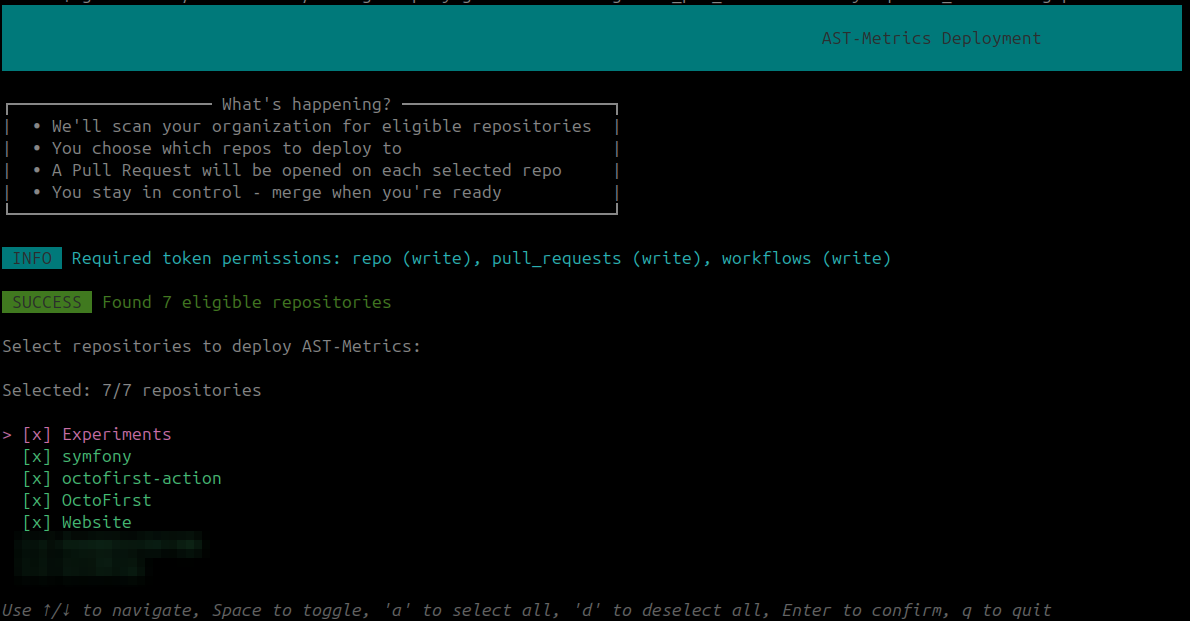
Deploy to multiple repositories at once
If you manage multiple repositories in a GitHub organization, you can deploy AST Metrics to all (or some) of them with a single command. See the Deploy to GitHub Organization guide for details.
ast-metrics deploy:github --token=<github-token> <organization-name>
Comparing with another branch
You can compare the metrics of the current branch with another branch using the --compare-with flag.
ast-metrics ci --compare-with=main .
To gate a pull request on what the branch actually changed, prefer
ast-metrics review: it reports only new or
worsened findings, and ignores existing debt.